

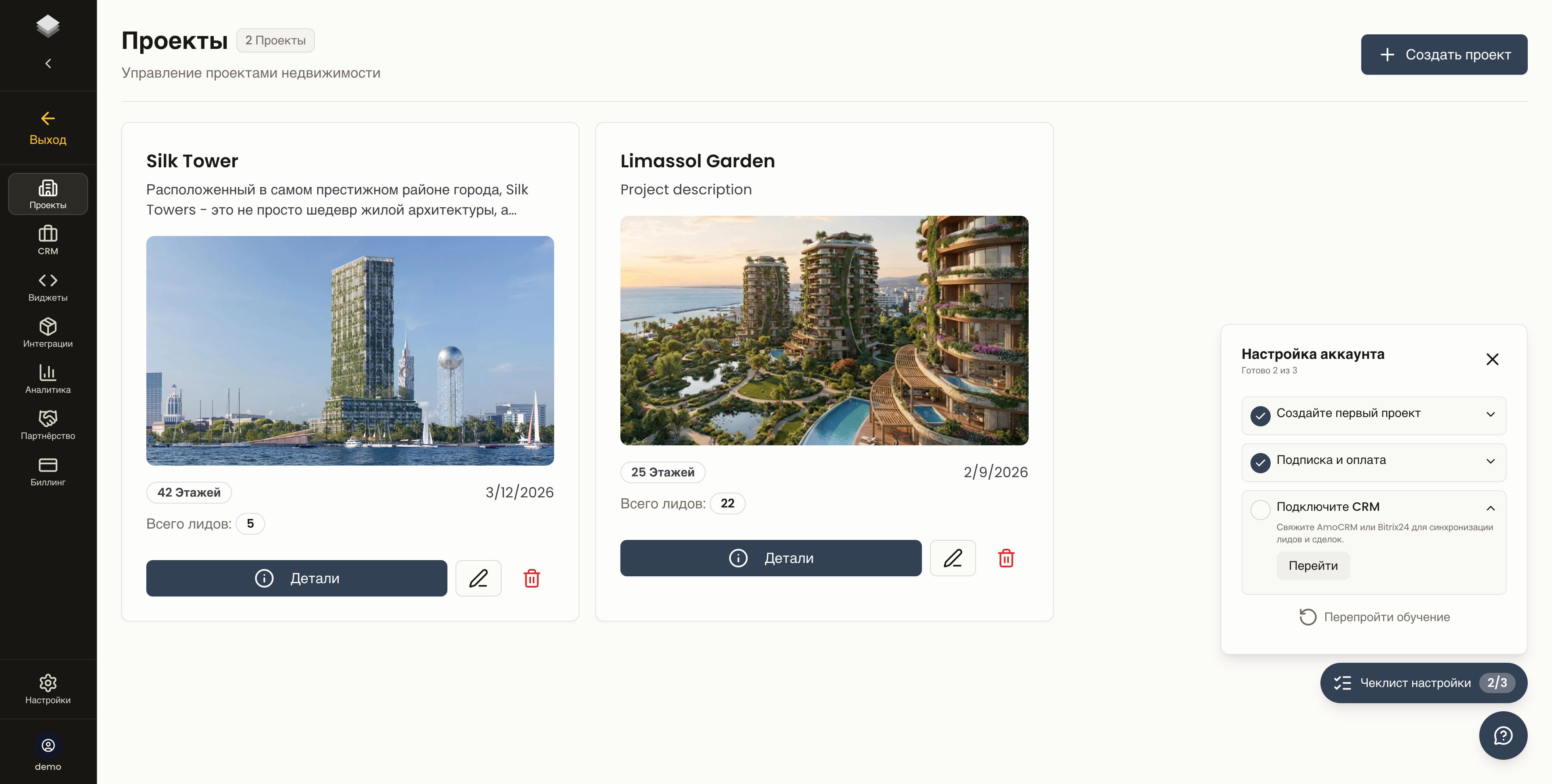
главный экран кабинета девелопера в GRIDIX
С чего начать
Для девелопера
Настроить кабинет, проекты, лоты, публичный каталог, заявки, команду, CRM и агентскую сеть.
Для менеджера продаж
Работать с заявками, контактами, источниками, лотами и клиентским сценарием.
Для агентств и брокеров
Принять приглашение от девелопера, открыть его проекты, отправить ссылку клиенту и передать заявку.
Партнёрская программа GRIDIX
Рекомендовать платформу новым клиентам или внедрять её как интегратор.
Не путайте два направления
«Агентская сеть девелопера» и «Партнёрская программа GRIDIX» — это разные продукты внутри GRIDIX.
Быстрый запуск проекта
1
Подготовьте данные
Соберите таблицу лотов, цены, статусы, планировки, материалы проекта, доступы к сайту и CRM.
2
Создайте проект
Выберите тип проекта: здание, объекты или генплан.
3
Проверьте смарт-каталог
Убедитесь, что лоты, цены, статусы и планировки отображаются корректно.
4
Опубликуйте каталог и виджет
Проверьте публичный каталог, тестовую заявку, передачу в CRM и встройте виджет на сайт.
Какие задачи решает GRIDIX
Подготовить данные перед запуском
Таблица лотов, материалы, доступы, CRM и правила обработки заявок.
Создать проект
Импорт из таблицы, ручная настройка, тип проекта и проверки перед публикацией.
Настроить смарт-каталог
Лоты, цены, статусы, планировки и работа менеджера в офисе.
Открыть публичный каталог
Клиентская страница проекта: карточки лотов, форма заявки, мобильная версия.
Встроить виджет на сайт
Готовый embed-код, интеграция с CMS, контейнер и тестовая заявка.
Подключить агентскую сеть
Пригласите агентство или брокера и откройте им доступ к проектам.
Передать заявки в CRM
AmoCRM или Bitrix24 — автоматическая передача заявок в воронку продаж.
Чек-лист интегратора
Что проверить перед передачей проекта клиенту.
Войти в кабинет
app.gridix.live
Авторизация и работа с проектами. Если ещё нет аккаунта — зарегистрируйтесь там же.